

Server & Networking Solutions in Ahmedabad
Server & Networking Solutions in Ahmedabad from Infinite Infosys help offices, factories, SMEs and enterprises plan, deploy and support servers, storage, business Wi-Fi, LAN/WAN and structured networking across Gujarat and India.
Build a dependable technology foundation with business servers, storage, switching, routing, secure connectivity and wireless infrastructure designed around your actual working environment.
Understand the Infrastructure Behind a Business Network.
Business infrastructure combines computing, storage, network switching, structured cabling, routing, security and wireless connectivity. Each technology performs a different role but must operate as one reliable environment.
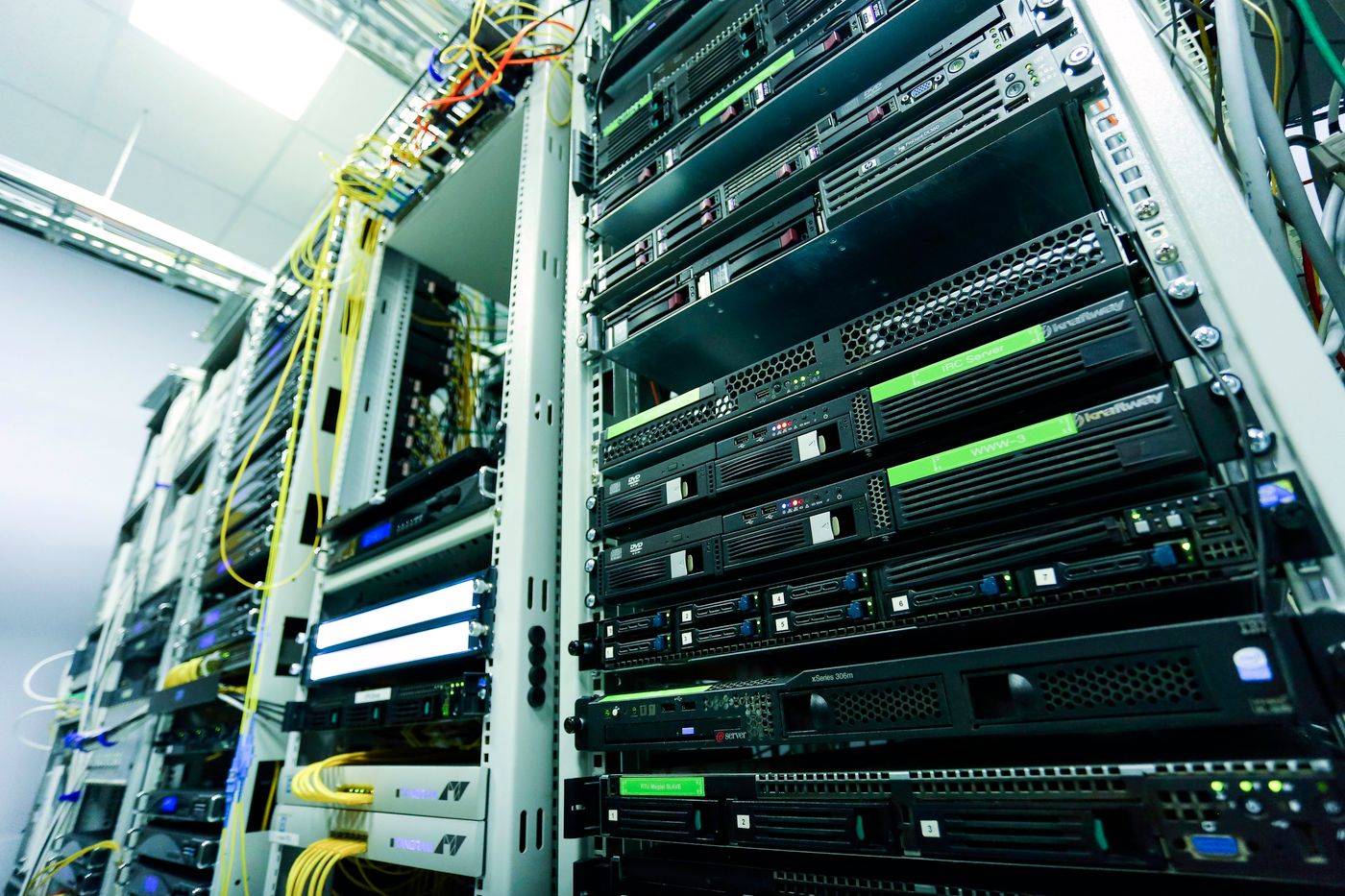
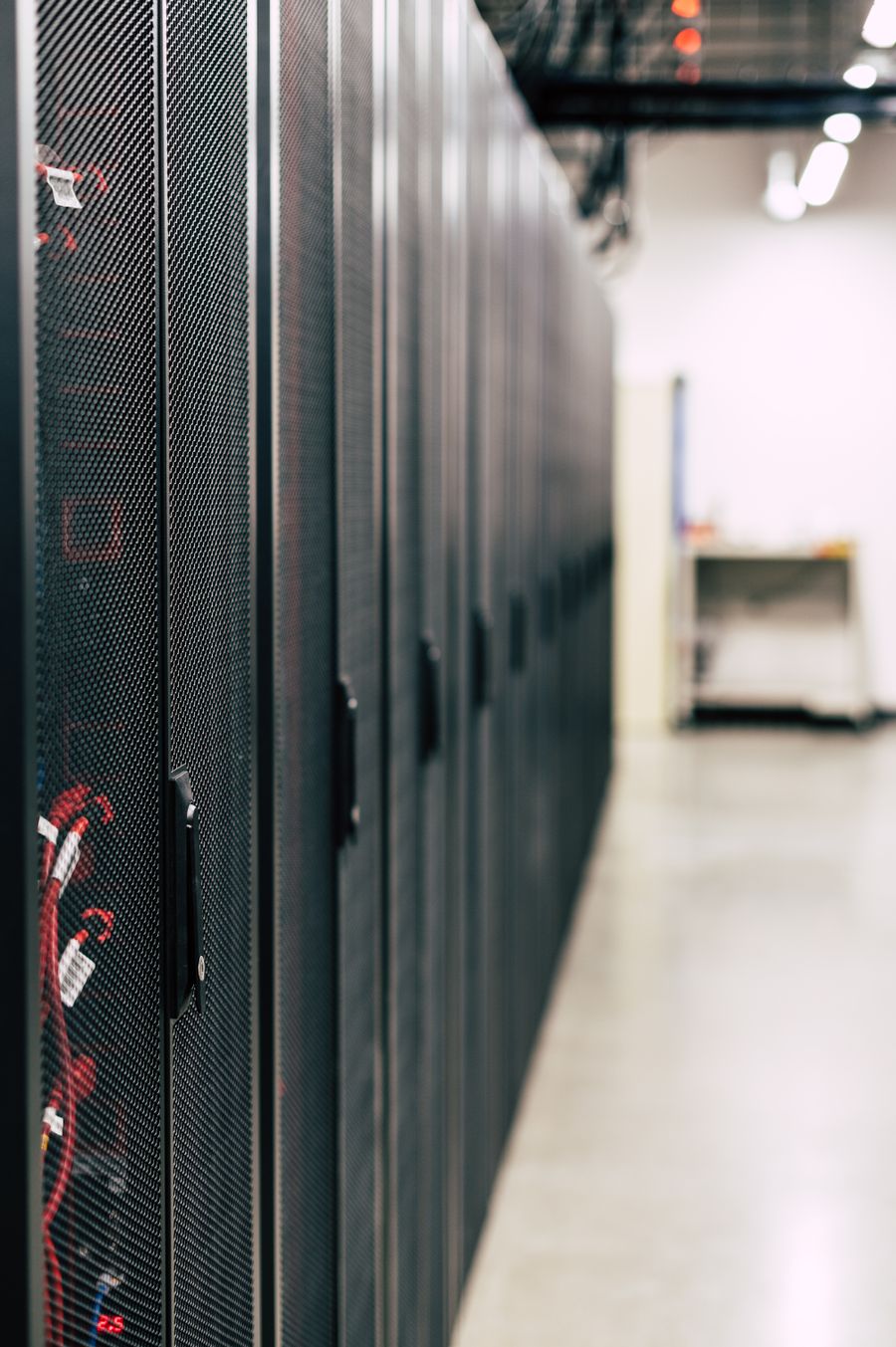
Enterprise Server Rack
Rack-mounted servers, network equipment and structured connectivity organized inside a professional infrastructure environment.
One Rack. Multiple Infrastructure Layers.
A properly designed rack centralizes critical hardware so equipment can be managed, protected, maintained and expanded efficiently.
Application, database, file and virtualization workloads.
Centralized data, backup and shared storage capacity.
Connectivity between servers, users and network devices.
Organized physical connectivity throughout the network.
UPS and power distribution for infrastructure continuity.
What the Main Infrastructure Components Actually Look Like.
These equipment views help identify the physical hardware commonly used when building business server and network infrastructure.
 01
01
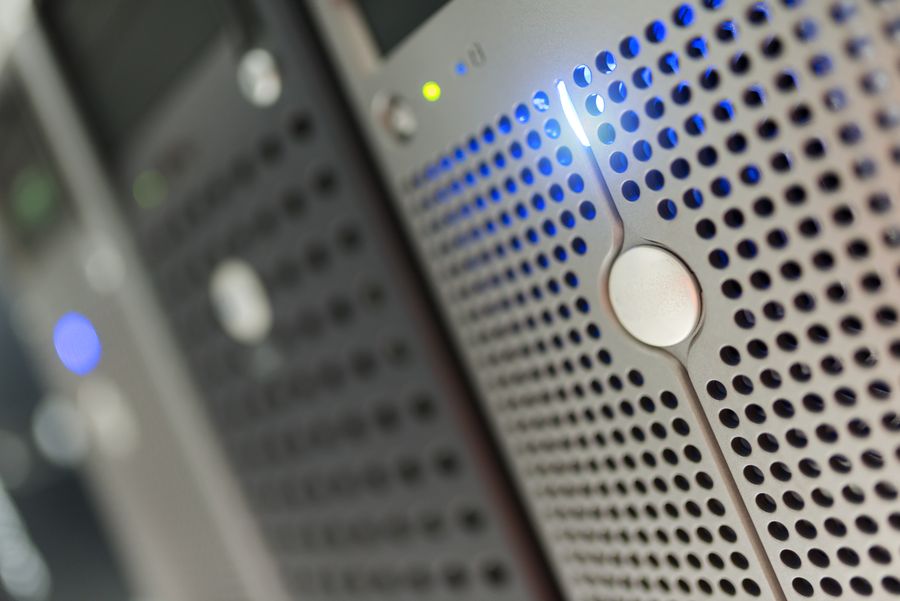
Rack Server Hardware
Rack servers provide centralized processing resources for applications, databases, authentication, file services and virtualization workloads.
 02
02
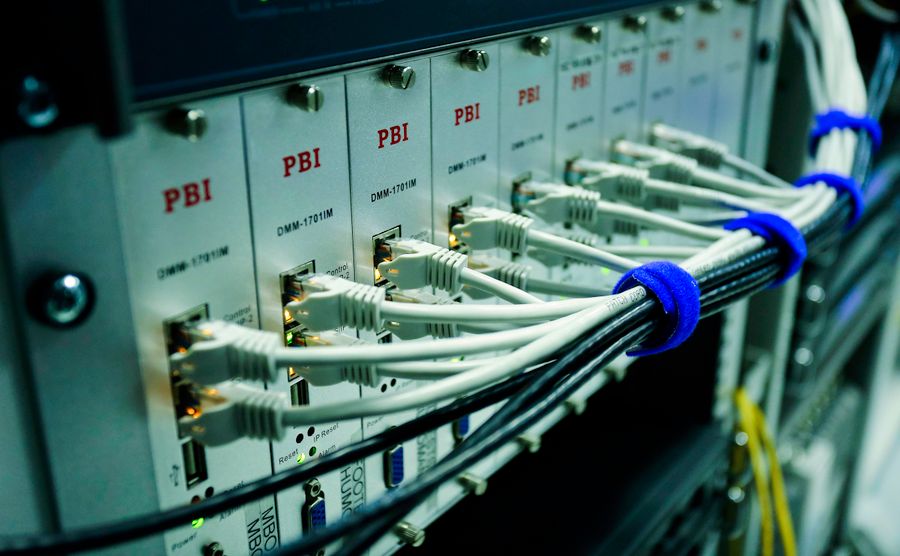
Ethernet Network Switching
Network switches connect servers, desktops, printers, access points, CCTV systems and other devices within the business LAN.
 03
03
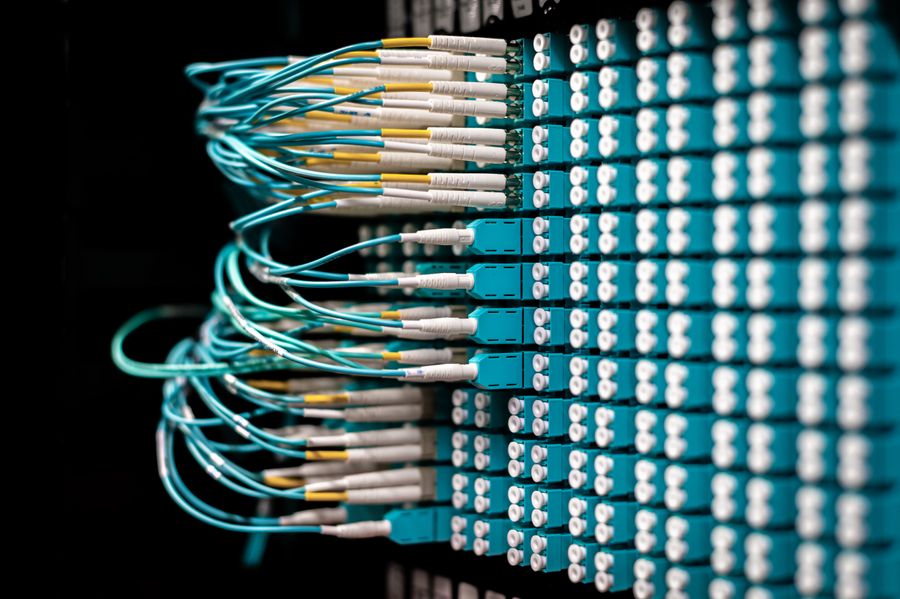
Structured Cabling
Organized copper and fiber cabling creates the physical path connecting racks, switches, servers, work areas and other network endpoints.
Servers
Run centralized applications, services, databases and virtual machines.
Storage
Provides centralized capacity for files, databases, backups and virtualization.
Switching
Distributes LAN connectivity between servers, users and network devices.
Routing
Directs traffic between networks, internet connections and locations.
Firewall
Controls traffic between trusted internal systems and external networks.
Enterprise Wi-Fi
Provides centrally managed wireless connectivity throughout the workplace.
From Internet Connection to Business Users.
A simplified infrastructure path showing how traffic moves through security and switching before reaching servers, wired devices and wireless users.
Design the Environment, Not Just the Individual Product.
Server and networking performance depends on architecture, hardware sizing, structured cabling, configuration, redundancy, security and ongoing technical support.
DISCUSS YOUR INFRASTRUCTURE →Server Infrastructure Designed Around Real Business Workloads.
The right server platform depends on applications, users, processing demand, memory requirements, storage capacity, availability expectations and future growth. Infinite Infosys helps businesses select and deploy infrastructure around the workload instead of choosing hardware only by model or brand.

Enterprise Rack Server Hardware
Rack-mounted compute platforms designed for centralized business applications, virtualization, databases, file services and infrastructure workloads.
Start With the Workload. Then Size the Infrastructure.
Server configuration should reflect what the system must actually run today and what the business may require as it grows.
Concurrent users and access patterns.
ERP, databases, files and business software.
CPU cores and processing requirements.
RAM for applications and virtual machines.
Capacity, performance and data growth.
Redundancy and recovery expectations.
Correct sizing helps avoid both underpowered systems and unnecessary infrastructure cost.
Different Infrastructure for Different Business Requirements.
Server environments can range from a single tower server for a smaller office to multiple rack servers and shared storage platforms supporting virtualization and critical applications.
 01
01
Rack Servers
Designed for standardized server racks where multiple systems can be centrally organized, cooled, powered and managed within the same infrastructure.
- Business applications
- Database workloads
- Virtualization hosts
- Centralized services
 02
02
Tower Servers
Tower systems provide dedicated business server capability without requiring a complete rack environment, making them suitable for selected smaller infrastructure requirements.
- Small office servers
- File & application services
- Local business workloads
- Expandable configurations
 03
03
NAS & SAN Storage
Shared storage platforms centralize business data and provide capacity for files, databases, backups and virtual infrastructure according to performance and availability requirements.
- Shared file storage
- Virtual machine storage
- Backup repositories
- Capacity expansion
 04
04
Virtualization Platforms
Multiple virtual servers can operate on shared physical infrastructure, helping businesses consolidate workloads, improve resource utilization and simplify expansion.
- Multiple virtual machines
- Workload consolidation
- Flexible resource allocation
- Infrastructure scalability
Hardware Specifications Must Work as a Complete System.
Server performance and resilience depend on the relationship between compute, memory, storage, networking, power, redundancy and recovery—not on one specification alone.
CPU & Memory
Processor cores and RAM are sized around applications, database demand and virtualization workloads.
RAID & Storage
Disk configuration balances usable capacity, storage performance and protection against drive failure.
Redundancy
Redundant power, storage and network paths can reduce single points of failure in important environments.
Server Networking
Network interfaces, switching capacity and segmentation must support server traffic and availability requirements.
Backup & Recovery
Server design should consider how business data and workloads will be backed up and restored when required.
Future Scalability
Memory, storage, compute and infrastructure expansion should be considered before the original system is deployed.
Server Selection Depends on the Business Requirement.
Tell Us the Workload. We’ll Help Define the Infrastructure.
Share your application, number of users, current environment, storage requirement and growth expectations so the server platform can be designed around the actual business need.
DISCUSS SERVER REQUIREMENT →Build a Network That Keeps Your Business Connected.
Infinite Infosys designs wired and wireless business networks around users, applications, locations, bandwidth, security and future expansion. The goal is reliable connectivity, controlled traffic and infrastructure that remains manageable as the organization grows.

Managed Network Switching
Network switches form the foundation of a wired LAN, connecting servers, computers, wireless access points, CCTV systems, printers and other business devices.
Connectivity Is More Than Connecting Cables.
A professional network considers traffic flow, segmentation, bandwidth, device density, redundancy, security and centralized management before equipment is selected.
Bandwidth aligned with users and workloads.
Separate users, servers, CCTV, voice and guest traffic.
Wired and wireless connectivity planned by location.
Reduce dependency on single links and devices.
Visibility into switches, access points and network health.
The Hardware Behind Business Connectivity.
Different components perform different roles across the network—from wired switching and structured cabling to wireless connectivity and endpoint access.
 01
01
Enterprise Wi-Fi & Access Points
Managed access points provide wireless connectivity across offices, warehouses and commercial environments while supporting centralized configuration, security and user access policies.
 02
02
Patch Panels & Cabling
Structured copper and fiber cabling creates the physical network path between racks, switches, outlets, access points, cameras and user devices.
 03
03
LAN Connectivity
Ethernet connectivity provides predictable performance for desktops, servers, printers, access points and infrastructure devices that require reliable wired access.
Control Traffic. Protect Performance.
Modern business networks use logical segmentation, managed switching and redundancy to create more controlled and reliable connectivity than a simple flat network.
VLAN Segmentation
Separate business departments, servers, CCTV, voice, guest access and other network traffic.
Power over Ethernet
Deliver network connectivity and power to access points, IP phones and CCTV cameras through Ethernet.
Link Aggregation
Combine network links where appropriate to increase capacity and improve connectivity resilience.
Network Redundancy
Alternate network paths and redundant components help reduce selected single points of failure.
Traffic Prioritization
Quality-of-service policies can prioritize important voice, video and application traffic when required.
Central Management
Managed network platforms provide configuration, visibility and operational control across infrastructure.
One Core Network. Multiple Connected Services.
A simplified enterprise LAN showing how switching distributes connectivity to business systems and users.
Connect Offices, Branches and Remote Locations.
Better Networks Start With Better Design.
Share your users, floor layout, locations, existing infrastructure and connectivity requirements so we can help define the appropriate wired and wireless network.
DISCUSS NETWORK REQUIREMENT →Build the Physical Network Before Connecting the Devices.
A professional network begins with the physical infrastructure: rack locations, MDF and IDF design, structured copper and fiber cabling, patch panels, cable management, labeling and backbone connectivity. These elements create the foundation on which switching, Wi-Fi, servers, CCTV and user connectivity operate.
MDF to IDF. Core to Edge.
Larger offices, campuses, warehouses and multi-floor environments often require a structured hierarchy rather than running every cable from one location.
MDF Main Distribution Frame / core network location
IDF Intermediate Distribution Frame / floor or zone rack
Access Layer Connectivity to users, APs, cameras and devices
Organize the Rack. Organize the Network.
Good physical infrastructure makes troubleshooting, expansion and maintenance significantly easier than unmanaged cabling and undocumented connections.
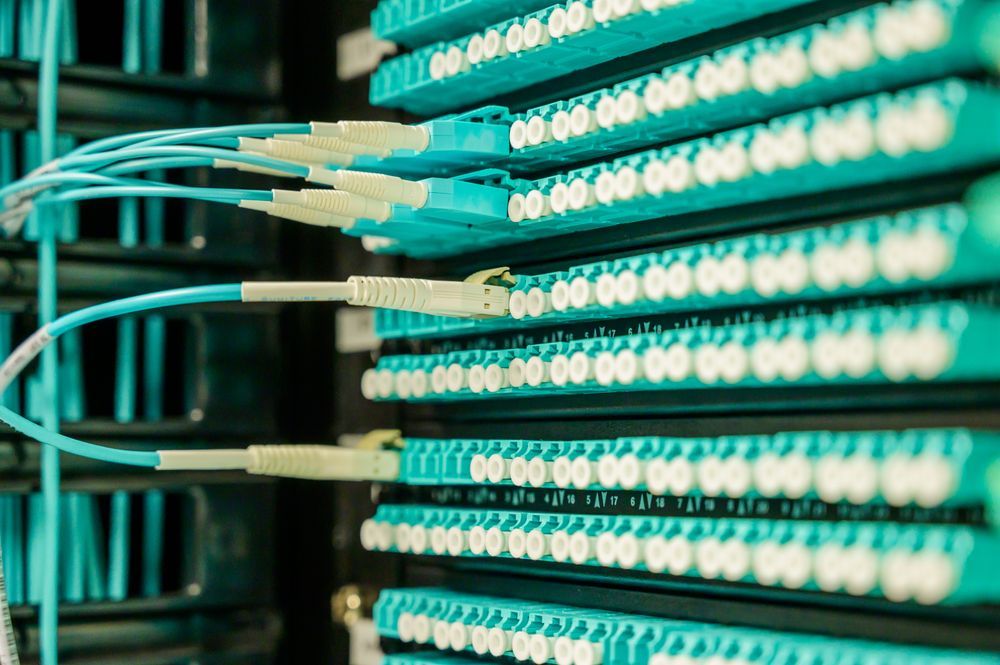 01
01
Network Patch Panels
Patch panels terminate structured cabling inside the rack and create an organized interface between permanent building cabling and network switches.
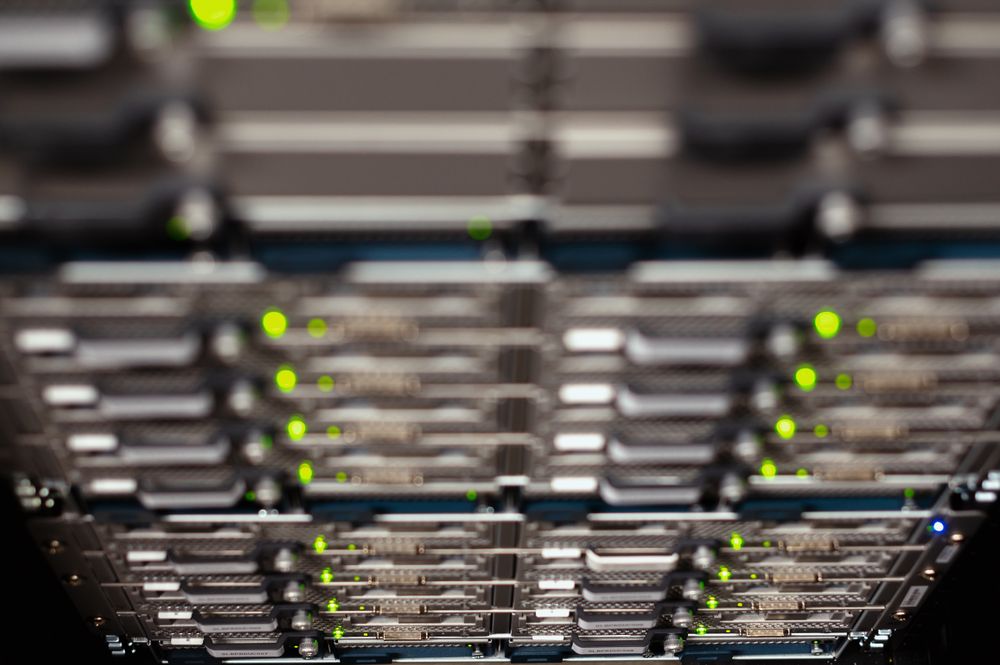 02
02
Switch & Rack Organization
Switches, patch panels and supporting equipment are arranged to improve accessibility, airflow, cable routing and future maintenance.
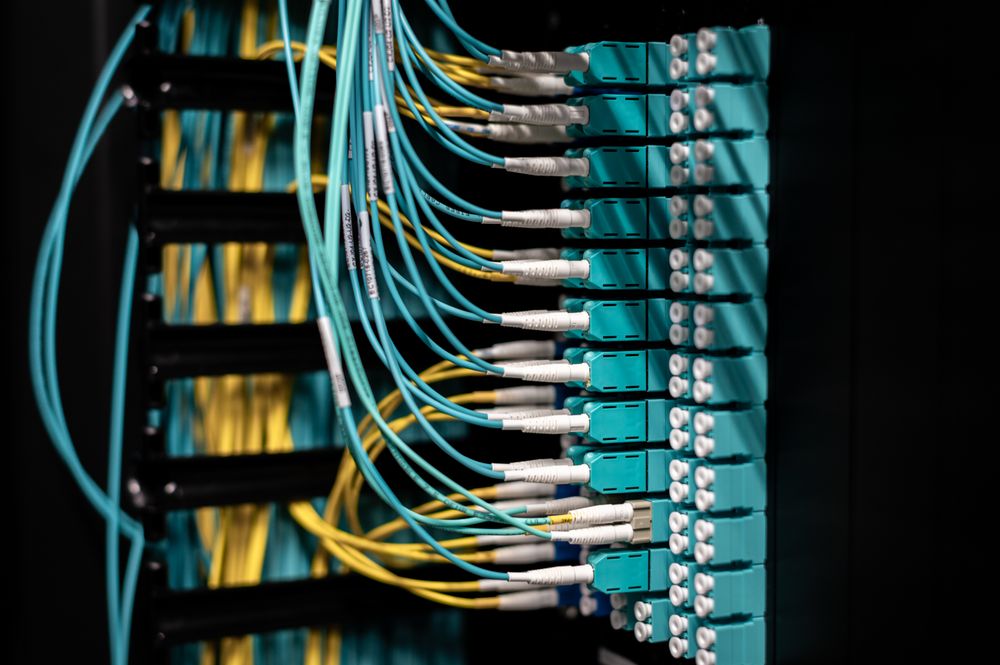 03
03
Clean Structured Cabling
Organized patching, cable routing and labeling help technicians identify connections quickly and reduce accidental disconnections during maintenance.
Every Cable Needs a Defined Purpose.
Structured infrastructure should be planned as a system, from backbone connections between racks to horizontal cabling reaching individual devices.
MDF / Core Rack
Central location containing core switching, security, server or WAN infrastructure.
IDF / Access Racks
Distributed rack locations serving floors, departments or physical zones.
Fiber Backbone
High-speed uplinks connect MDF and IDF locations across floors or buildings.
Horizontal Cabling
Cat6 or suitable cabling connects access racks to network outlets and endpoints.
Patch Panels
Permanent cabling terminates in an organized rack-mounted patching system.
Cable Management
Horizontal and vertical managers control cable paths and reduce rack congestion.
Rack Power & UPS
Network devices require planned power distribution and appropriate backup power.
Labeling & Documentation
Ports, cables, racks and outlets should be identifiable for support and maintenance.
Core Infrastructure Location
The MDF acts as the primary network distribution point. Depending on the environment, it can contain ISP handoff, firewall, core switching, servers, storage, fiber termination and other central infrastructure.
- WAN / ISP termination
- Firewall and routing
- Core network switching
- Server / storage connectivity
- Fiber backbone distribution
Floor / Zone Access Location
IDF racks extend connectivity closer to users and devices. They typically contain access switches, patch panels, fiber uplinks and cabling serving the surrounding floor, department or zone.
- Access network switches
- Patch panels
- Fiber uplink termination
- PoE device connectivity
- Local cable distribution
Installation Is Not Complete Until the Network Is Identifiable.
Clear labeling and documentation help future technicians understand where cables terminate, which switch ports are used and how racks and outlets are connected.
Build Infrastructure That Can Be Maintained and Expanded.
Whether you are planning a new office, adding floors, upgrading network racks or reorganizing existing cabling, the physical network should be designed around capacity, performance, maintainability and future growth.
DISCUSS NETWORK INFRASTRUCTURE →From Requirement to Working Infrastructure.
A successful server and networking project depends on more than product installation. Infinite Infosys follows a structured implementation process covering assessment, design, deployment, configuration, testing, documentation and handover so the final environment is organized, usable and supportable.
Plan First. Deploy With Control.
Every environment is different. Before equipment is installed, the requirement, site conditions, existing systems, network dependencies and business priorities should be understood.
Structured Planning Requirements, scope and dependencies identified first.
Controlled Deployment Installation and configuration performed systematically.
Verified Handover Testing, documentation and customer handover completed.
Ten Stages From Planning to Operational Handover.
Each stage reduces uncertainty before the next stage begins, helping avoid installation issues, incompatible configurations and undocumented infrastructure.
Requirement Assessment
Understand users, applications, locations, current infrastructure, performance requirements, pain points, business priorities and expected growth.
Site & Existing Infrastructure Review
Review rack locations, power, cabling, network points, internet links, server room conditions and existing equipment that may need to remain in operation.
Architecture & Solution Design
Define the logical and physical design including server requirements, rack layout, switching, routing, VLANs, Wi-Fi, storage, uplinks and redundancy.
Product & Configuration Selection
Select suitable servers, storage, switches, routers, access points, racks, cabling and supporting components based on compatibility and project requirements.
Physical Installation
Install racks, servers, storage, switches, patch panels, access points and supporting infrastructure while keeping cable routing and equipment placement organized.
System & Network Configuration
Configure server roles, RAID, networking, VLANs, switching, routing, wireless settings and other infrastructure according to the approved design.
Connectivity & Performance Testing
Verify device communication, uplinks, server access, internet connectivity, network segmentation, Wi-Fi coverage and other agreed functional requirements.
Security & Configuration Review
Review important configuration settings, access controls, network segmentation and deployment consistency before the environment is moved into normal operation.
Documentation & Asset Identification
Record relevant equipment, network details, rack locations, port mapping, addressing or configuration information needed for future support and maintenance.
Customer Handover & Support Transition
Explain the deployed environment, provide relevant documentation and transition the infrastructure into ongoing maintenance or support where required.
What We Check Before Project Handover.
Final verification helps confirm that the deployed infrastructure matches the intended design and is ready for operational use.
Hardware placement and rack installation reviewed.
Core network paths and device connectivity checked.
Important server and network settings validated.
Relevant physical connections organized and labeled.
Project information captured for future reference.
Operational information shared with the customer.
Discover → Design → Deploy → Document → Support
Planning a New Deployment or Infrastructure Upgrade?
Share your current environment, location, users, infrastructure requirement and project objective so we can help plan the appropriate implementation approach.
DISCUSS YOUR PROJECT →More Than Hardware. A Complete Infrastructure Approach.
Server and networking projects involve multiple technologies, vendors, configurations and dependencies. Infinite Infosys helps coordinate these elements as one business infrastructure solution—from requirement understanding and product selection to deployment, documentation and ongoing support.
Technology Decisions Should Support the Business.
We focus on practical infrastructure recommendations based on actual business requirements, compatibility, scalability, budget considerations and future growth rather than treating every project as a simple product sale.
Review the requirement, users, applications, locations and existing environment before recommending.
Consider how servers, storage, networking, security and connectivity must work together.
Consider future capacity, expansion and maintainability during the initial design.
Infrastructure should remain understandable and supportable after installation is complete.
One Technology Partner. Multiple Infrastructure Layers.
Coordinating related infrastructure through a single technology partner can simplify communication, implementation and ongoing support.
Practical Capability Across the Infrastructure Lifecycle.
Our role can extend from initial infrastructure planning and supply to installation, configuration, documentation and support coordination.
One Coordinated Approach
Products, servers, storage, networking, wireless, security and supporting infrastructure can be planned as one connected solution.
Requirement-Based Selection
Solutions are considered around business needs, compatibility, performance, budget and future expansion rather than specifications alone.
Flexible Product Options
Multi-brand infrastructure allows solutions to be evaluated according to technical requirement, compatibility and commercial considerations.
Planned Deployment
Installation, configuration, testing and handover are approached systematically so the environment is organized and ready for operational use.
Better Handover & Visibility
Relevant rack, equipment, connectivity and project information can be documented to support future troubleshooting and maintenance.
Future Growth Planning
Capacity, ports, rack space, compute, storage and connectivity requirements can be considered with future expansion in mind.
Multi-Location Coordination
Infrastructure requirements can be coordinated for offices, branches, project sites and multi-location business environments across India.
Simpler Project Communication
One coordination point across related IT infrastructure can reduce communication gaps between multiple technologies and project activities.
Infrastructure Should Be Reliable, Manageable & Ready to Grow.
The objective is not simply to install equipment. The environment should support business operations while remaining understandable and maintainable.
Infrastructure designed around practical operational requirements.
Capacity and expansion considered during initial infrastructure planning.
Structured systems that are easier to understand and maintain.
Technology decisions linked to the actual operating requirement.
From Product Requirement to Complete Environment.
Leading the way in technology.
Business IT infrastructure planned with a practical, scalable and lifecycle-focused approach.
Need Help Planning Your Server or Network Infrastructure?
Share your current environment, users, locations, applications and infrastructure goals so we can discuss an appropriate solution approach.
DISCUSS YOUR REQUIREMENT →Server & Networking Infrastructure for Different Business Environments.
Infrastructure requirements change with the environment. A corporate office, manufacturing facility, healthcare organization or multi-location business can require very different combinations of servers, switching, Wi-Fi, structured cabling, security and connectivity.
Corporate Offices
Business servers, managed LAN, secure Wi-Fi, file services, internet connectivity and structured office networking.
SERVERS · LAN · WI-FI · USER CONNECTIVITYManufacturing & Industrial
Factory connectivity, server infrastructure, warehouse Wi-Fi, surveillance networks and resilient connectivity across operational areas.
INDUSTRIAL LAN · WI-FI · CCTV · CONNECTIVITYHealthcare & Pharma
Reliable network infrastructure for business applications, departments, controlled access, wireless connectivity and centralized systems.
SERVERS · SEGMENTATION · WI-FI · RELIABILITYEducation & Training
Campus networking, computer labs, enterprise Wi-Fi, server resources, access switching and structured connectivity.
CAMPUS LAN · LABS · WI-FI · SERVER SERVICESServers & Networking
Compute · Storage · LAN · WAN · Wi-Fi
Retail & Commercial
Store connectivity, centralized systems, wireless networking, CCTV integration and infrastructure for multi-location operations.
STORE LAN · WAN · CCTV · WI-FIProfessional Services
Secure office networks, centralized applications, business storage, reliable Wi-Fi and connectivity for growing professional teams.
BUSINESS LAN · STORAGE · SERVER · WI-FIMulti-Location Operations
Branch connectivity, centralized infrastructure, common network standards and coordinated deployment across multiple business locations.
WAN · BRANCH NETWORK · CENTRALIZED ITGovernment & Public Sector
Project-based infrastructure deployment, network connectivity, server environments and technology implementation support.
INFRASTRUCTURE · NETWORK · SERVER · PROJECTSDifferent Environments. Different Network Priorities.
The underlying technologies may be similar, but their sizing, architecture and deployment approach should reflect how the organization actually operates.
Office Environment
User density, application access, wireless coverage and reliable business connectivity.
Factory / Warehouse
Larger physical areas, industrial connectivity, surveillance and wireless coverage.
Campus Environment
Multiple buildings or floors, backbone links, distributed switching and Wi-Fi.
Multi-Site Business
Standardized infrastructure, WAN connectivity and coordination across business locations.
Size the Infrastructure Around How the Business Operates.
Infrastructure for Single-Site and Multi-Location Businesses.
Infinite Infosys supports business IT infrastructure requirements across India, including office deployments, branches, project sites and multi-location environments.
Different Requirement? We Can Start With Your Infrastructure Need.
Tell us your industry, number of locations, users, applications and existing environment so the server and network approach can be discussed around your actual operating requirement.
DISCUSS YOUR ENVIRONMENT →Server & Networking Solutions in Ahmedabad FAQs
Find answers to common questions about business servers, network infrastructure, LAN, Wi-Fi, storage and ongoing network support for offices, factories and growing businesses.
What do Server & Networking Solutions include?
Solutions can include business servers, storage, switches, routers, structured LAN infrastructure, Wi-Fi deployment, network configuration and support based on the requirements of the organization.
Can Infinite Infosys support office and factory networks?
Yes. Infinite Infosys works with offices, factories, SMEs and enterprises to plan and support networking environments according to business users, devices, applications, coverage and connectivity requirements.
Do you provide business Wi-Fi and LAN solutions?
Yes. Business networking requirements may include wired LAN, switching, wireless access points, Wi-Fi coverage planning, network segmentation and connectivity between users and business systems.
Where can businesses learn more about networking technology?
Businesses looking for additional technical information about enterprise networking technologies can also refer to Cisco networking documentation . Infinite Infosys can then help evaluate suitable networking solutions according to the actual business environment.
Plan your business server and network environment with Infinite Infosys.
Planning New Infrastructure or Upgrading What You Already Have?
Infinite Infosys helps businesses plan, supply, deploy and support server and networking infrastructure around real operational requirements, existing systems and future expansion.
Whether you need a new server environment, storage expansion, network upgrade, structured cabling, enterprise Wi-Fi or complete infrastructure deployment, we can start by understanding your current environment and project objective.
EMAIL Info@infiniteinfosys.in
PHONE / WHATSAPP +91 97144 22092
PROJECT COVERAGE Pan-India Business Support
What Can We Discuss With You?
Start with one requirement or discuss the complete environment as a coordinated infrastructure project.
END-TO-END COORDINATION Infrastructure planning through implementation and handover.